

IP Lens overview
Use IP Lens
Learn the core lookup, calculation, saving, and export workflows.
Privacy and data flow
See which work stays on-device and where online requests are sent.
What you can do
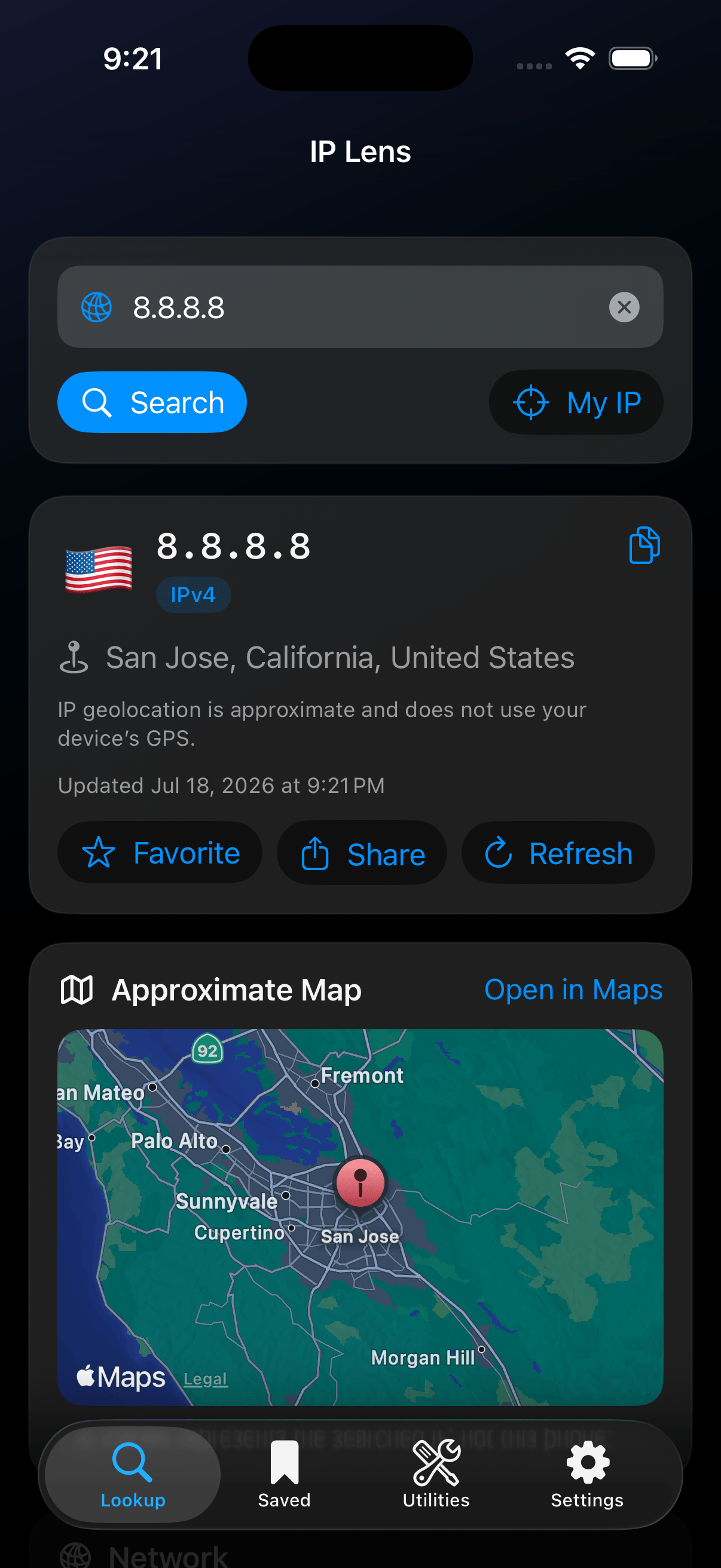
IP Lookup shows provider-supplied network and approximate location details.
How requests work
IP Lens does not send lookups through buffer.lol and does not operate a developer-controlled lookup backend. Online requests go directly from the iPhone to the service needed for the selected tool:- Free IP lookups use
ipwho.is; personal-key mode usesipwhois.pro. - DNS queries go to exactly one selected resolver: Cloudflare or Quad9.
- Registration queries go to the authoritative RDAP registry selected with IANA bootstrap data.
- Subnet calculations and export generation stay on the device.
Requirements and availability
New IP, DNS, and registration lookups require an internet connection. Saved captures and the subnet calculator remain useful offline. iPad and Mac layouts, iCloud sync, active network scanning, traceroute, and automation are not part of version 1.0.
Features, providers, pricing, and availability may change before the App Store release.
More information
- Visit the IP Lens product page for the latest public release status.
- Use IP Lens support to report a problem or request a feature.
- Read the public IP Lens privacy notice.
- Read the IP Lens terms of use.